REVIEW · KUALA LUMPUR
Singapore, Thailand & Malaysia eSIM: 0.5GB Daily to 30GB-30 Days
Book on Viator →Operated by Frewie · Bookable on Viator
Getting online in a new country should not be hard. This eSIM is built for quick QR setup and easy month-long data across Singapore, Thailand, and Malaysia. I like that it supports hotspots and that speed drops in a clear, predictable way after your allowance. The one real catch is device compatibility: if your phone is not eSIM-ready, you’ll waste time fast.
The big value here is convenience. You get the QR code within minutes, scan it, and the plan starts when you install it—so you can be up and running right away after landing. It’s data-only, so don’t expect a phone number for calls or SMS.
My practical advice: check eSIM compatibility before you buy. Also, plan your install window carefully—your plan must be used within one month of purchase or the eSIM expires.
In This Review
- Key things to know before you turn it on
- eSIM Setup: QR Code in Minutes, Then You Scan and Go
- Price and Value for a 30-Day Data Plan
- Coverage Across Singapore, Thailand, and Malaysia (Networks That Matter)
- How Speed Works: 4G LTE or 5G, Then 128 kbps
- Hotspot Support: Use It Like a Mini Home Internet Backup
- Compatibility Checks: Avoid the China/Hong Kong eSIM Problem
- Timing Your Activation in Kuala Lumpur and Beyond
- Real-World Use: What to Do When Your Data Throttles
- Who This eSIM Is For (and Who Might Get Frustrated)
- Support and What to Do If Something Goes Wrong
- Should You Book This eSIM?
- FAQ
- How do I get the eSIM to install?
- When does the data plan start?
- Is this eSIM data-only?
- Can I use a mobile hotspot with this eSIM?
- What happens when I use up my high-speed data allowance?
- How long do I have to start using the eSIM after purchase?
- What if my phone is not eSIM-compatible?
Key things to know before you turn it on
- QR code setup in minutes: You install by scanning, no need to hunt for a physical SIM.
- Validity starts at installation: The countdown begins when you install, not on a random calendar date.
- Daily resets at 0000 (+8GMT): If you choose a daily plan, the allowance refreshes each day.
- Unlimited after your high-speed data: Speed drops to 128 kbps (best for messaging apps).
- Hotspot supported: You can share the connection with your laptop or a second device.
- Data-only eSIM: No voice calls and no SMS, and you won’t get a phone number.
eSIM Setup: QR Code in Minutes, Then You Scan and Go
This experience is really about one thing: turning your phone into a local-data machine without the SIM-swapping circus.
After booking, you receive a QR code quickly. The setup is straightforward: you scan the QR code and follow the on-screen prompts to install the eSIM profile on your device. The plan then becomes active starting from the moment you install it. That matters because it lets you time your setup for when it’s useful—like just before you land, or as soon as you clear airport arrivals.
One practical detail I appreciate: it’s mobile data only. So you’ll use apps over data (maps, email, WhatsApp/Line/WeChat-type messaging, ride-hailing). But you won’t have a standard phone number for calling or texting.
Also, don’t ignore the device note. The provider flags that many phones bought in China and Hong Kong may not support eSIM. If you’re using a newer model, you’re probably fine, but it’s still worth a quick check in your phone settings or with your carrier.
You can also read our reviews of more tours and experiences in Kuala Lumpur.



Price and Value for a 30-Day Data Plan

This one is priced at $3.18 per person for about 30 days, and the data tier is flexible (from 0.5GB daily up to 30GB for 30 days, depending on what you select).
Here’s how I judge value for this kind of product:
- You’re paying for reliable access across multiple countries, not just one.
- You’re paying for speed of activation (QR code arrives quickly, install is immediate).
- You’re paying for predictable throttling rules once your allowance is used.
What makes it feel like a bargain is the combo of convenience + coverage. If you’ve ever bought a physical SIM on arrival, you know how much time and frustration that can add. An eSIM avoids the line, the paperwork, and the “which counter is this?” moment.
Still, be honest about your likely usage. If you plan to stream a lot of video or upload lots of photos daily, you’ll burn high-speed data faster. Once you hit your tier, you’ll still have unlimited data, but at 128 kbps (messaging apps are the best fit then).
Coverage Across Singapore, Thailand, and Malaysia (Networks That Matter)

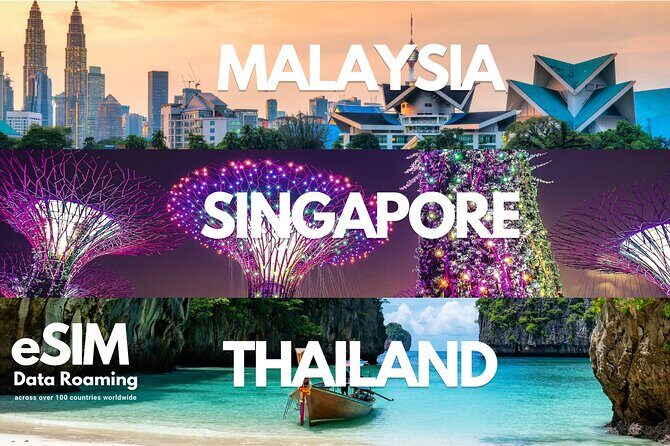
Your eSIM is designed for travel across Singapore, Thailand, and Malaysia, and the provider lists carrier support across a wide set of countries.
For your route, the key networks listed include:
- Singapore: Singtel
- Malaysia: Digi / Celcom
- Thailand: AIS / DTAC
In real life, these matter because you’re not stuck with one carrier’s coverage patterns. In busy areas, good carrier support usually means fewer dead spots when you’re on foot, using navigation, or hopping between transit and street-level streets.
And yes, major airport hubs are included for multiple regions (including Singapore and Thailand hubs in the network list). So if you want internet the second you land, this is the right mindset: install early, then test connection as you exit arrivals.
How Speed Works: 4G LTE or 5G, Then 128 kbps
You’ll connect to local networks at 4G LTE or 5G, depending on what’s available where you are.
The speed rules are the part you should read like an instruction manual, because they’re your day-to-day experience:
- If you choose a daily plan, your daily allowance resets at 0000 (+8GMT).
- After you use your selected high-speed allowance, you still get unlimited data, but it drops to 128 kbps for usage described as especially suited to messaging apps.
- If you choose a fixed plan, the same idea applies: once your high-speed allowance is used, speed drops to that 128 kbps level, but data remains unlimited.
What this means for you:
- Navigation and messaging can still work fine after throttling.
- Social apps and web browsing are possible, but expect slower loads.
- If your travel style is heavy on photos, video, or uploading files, you’ll want a higher data tier or a careful plan for when you use Wi-Fi.
My practical trick is simple: use high-speed data for the heavy stuff (mapping in motion, searching, uploading key moments), then switch to slower-data mode for lighter check-ins and messaging.
Hotspot Support: Use It Like a Mini Home Internet Backup
This eSIM supports mobile hotspot. That’s a big deal because it turns one phone connection into a lifeline for a laptop, tablet, or a second phone.
When hotspot works well, it’s great for:
- writing travel emails with less waiting
- checking documents
- keeping a laptop online for planning or banking
- sharing internet with a partner if you don’t have a second line
But hotspot also changes how you consume data. Even when you think you’re “just browsing,” a laptop can chew through data faster than your phone because pages load heavier content. If you’re on the lower tier, hotspot can push you toward throttling sooner than you expect.
So my advice: if you plan to hotspot, pick a tier that matches your reality, not your ideal day.




Compatibility Checks: Avoid the China/Hong Kong eSIM Problem
This is the section that can save you from the most annoying travel problem: buying the right thing, then discovering your device can’t use it.
The provider says it works only with eSIM-compatible devices that are not carrier locked. It also specifically warns that phones bought in China and Hong Kong may not support eSIM.
What I recommend you do before you pay:
- Check your phone for an eSIM option in settings (often under Cellular/Mobile Data).
- Make sure the phone is not locked to a carrier.
- If you’re unsure, contact your current service provider or verify online with your exact phone model.
Also note the rule about refunds/changes: if compatibility is the issue, you likely won’t be able to get a refund. So do the compatibility check early, while you still have time.
Timing Your Activation in Kuala Lumpur and Beyond
Your start is in Kuala Lumpur, and the activity ends back at the meeting point—but for an eSIM, the real “timeline” is your activation moment and how you use the data across the trip.
The plan validity starts immediately when you install the eSIM. That means you control the start date in a way that physical SIMs don’t always give you.
You also have an important constraint: you must start using the eSIM within one month of purchase. That’s easy if you buy close to your departure, and risky if you buy a long time early “just to be safe.”
A smart approach:
- Buy when your flight is close enough that you’ll install within the allowed window.
- Install when you’re ready to use data (airport Wi-Fi might work, but it can hide problems until you switch).
Once activated, you’re set for multi-country coverage. You’ll use the same eSIM profile while moving between Singapore, Thailand, and Malaysia, assuming your phone supports eSIM and isn’t locked.
Real-World Use: What to Do When Your Data Throttles
After your high-speed allowance is used up, you’ll still have unlimited data—but it slows to 128 kbps aimed at messaging-app use.
Here’s what I’d do in that situation:
- Keep navigation only as needed, and cache maps if your apps allow it.
- Use messaging apps for quick updates and check-ins.
- Save heavy browsing for Wi-Fi when you can (hotels, cafes, airport lounges).
- If you run a hotspot, throttle may feel worse on a laptop because pages can hang longer.
None of this means the eSIM becomes useless. It just changes your expectations. At 128 kbps, the goal becomes “stay connected, not watch everything perfectly.”
Who This eSIM Is For (and Who Might Get Frustrated)
This fits best if:
- you want fast setup and don’t want to chase physical SIMs
- you need data for apps and navigation while traveling in Singapore, Thailand, and Malaysia
- you value hotspot support for your laptop or shared connection
- you understand it’s data-only (no calls/SMS)
You might be frustrated if:
- you need a phone number for SMS verification or calls
- your phone is eSIM-incompatible (especially if it’s carrier locked or certain models from specific regions)
- you plan heavy video streaming every day for a full month on a low tier
If you’re traveling with a group and everyone wants phone calls, you’ll need an approach that covers voice/SMS elsewhere. This one is about data.
Support and What to Do If Something Goes Wrong
If you hit a snag, the provider directs you to contact the supplier via the Viator chat or email support. The email shown in support responses is [email protected].
When you write in, be ready to explain:
- the email used at booking
- your phone model
- what step fails (QR scanning, installation, or data connection)
Because validity starts at installation, it’s also helpful to note whether you installed immediately after purchase or closer to arrival.
Should You Book This eSIM?
I’d book it if you want a simple, low-cost way to stay online across Singapore, Thailand, and Malaysia without dealing with SIM counters.
Book it especially if:
- you like the idea of turning it on right after landing
- you’re comfortable that it’s data-only
- you’re willing to do a quick eSIM compatibility check first
Skip it if you rely on calls/SMS, or if your phone might not support eSIM. In that case, the “cheap and easy” plan becomes an expensive headache.
FAQ
How do I get the eSIM to install?
You receive an eSIM QR code within minutes. You then scan the designated QR code to set up the eSIM on your phone.
When does the data plan start?
The plan starts immediately when you install the eSIM (the validity begins at installation time).
Is this eSIM data-only?
Yes. It supports mobile data only. Voice and SMS are not supported, and it does not include a phone number for calls or texting.
Can I use a mobile hotspot with this eSIM?
Yes. Mobile hotspot is supported.
What happens when I use up my high-speed data allowance?
Once you use your selected high-speed allowance, you still get unlimited data, but the speed reduces to 128 kbps, and usage is described as best for messaging apps.
How long do I have to start using the eSIM after purchase?
You need to start using it within one month of purchase.
What if my phone is not eSIM-compatible?
The provider notes it works only with eSIM-compatible devices that are not carrier locked, and it warns that many devices bought in China and Hong Kong may not support eSIM. The policy also states there are no refunds or cancellations due to eSIM compatibility issues.